
Download Screenshot Crop – crop screenshots, clipboard image editor, quick image crop, screenshot tool, image editing app
Overview
Screenshot Crop is a streamlined productivity tool designed for users seeking a fast, efficient way to crop screenshots directly from their clipboard. The app addresses the common challenge of manually importing and editing images after taking a screenshot, offering a seamless workflow that integrates directly into the user’s existing process. By detecting images copied to the clipboard, it eliminates the need for file navigation or third-party import steps, significantly reducing friction in image editing tasks.
Target users include mobile professionals, content creators, students, and anyone who frequently shares or saves specific portions of screenshots. Whether trimming a chat message, isolating a diagram, or extracting a key detail from a larger image, Screenshot Crop enables precise editing with minimal effort. The app’s focus on speed and simplicity positions it as a valuable utility within the Android productivity ecosystem, particularly for users who prioritize workflow efficiency.
The developer, Screenshot Crop, has positioned the app as a lightweight, no-frills solution. Although no additional background information about the developer was provided, the app’s clean design and targeted functionality suggest a focused development approach. Its release on January 27, 2025, marks a timely entry into a space where quick, on-the-go image editing is increasingly essential.
Key Features & Functionality
- Clipboard Detection: Automatically identifies when an image is copied to the clipboard, triggering the cropping interface without requiring manual file selection. This enables users to begin editing immediately after capturing a screenshot.
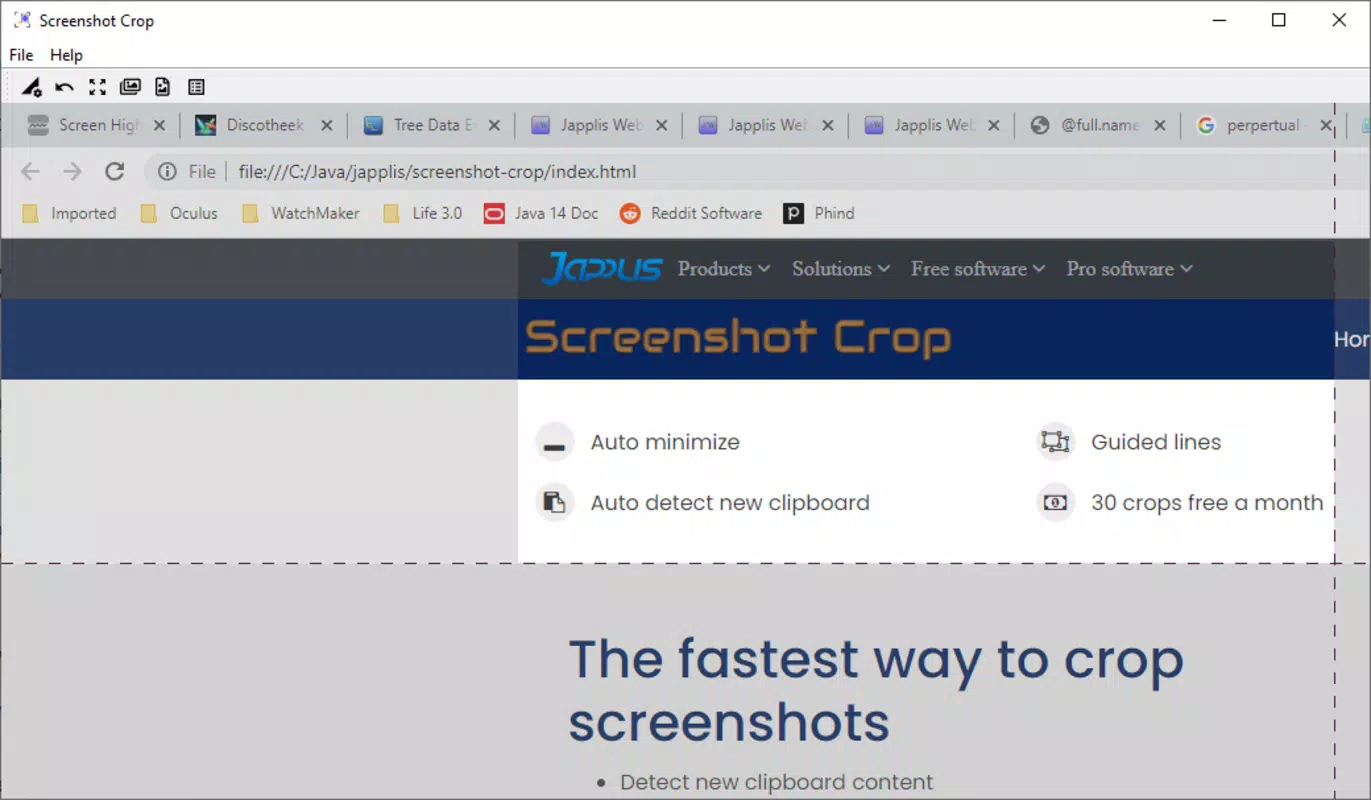
- User-Friendly Guided Lines: Offers visual alignment guides that assist in selecting the exact area of interest. These lines help users maintain proportion and precision, especially when cropping irregular or complex content.
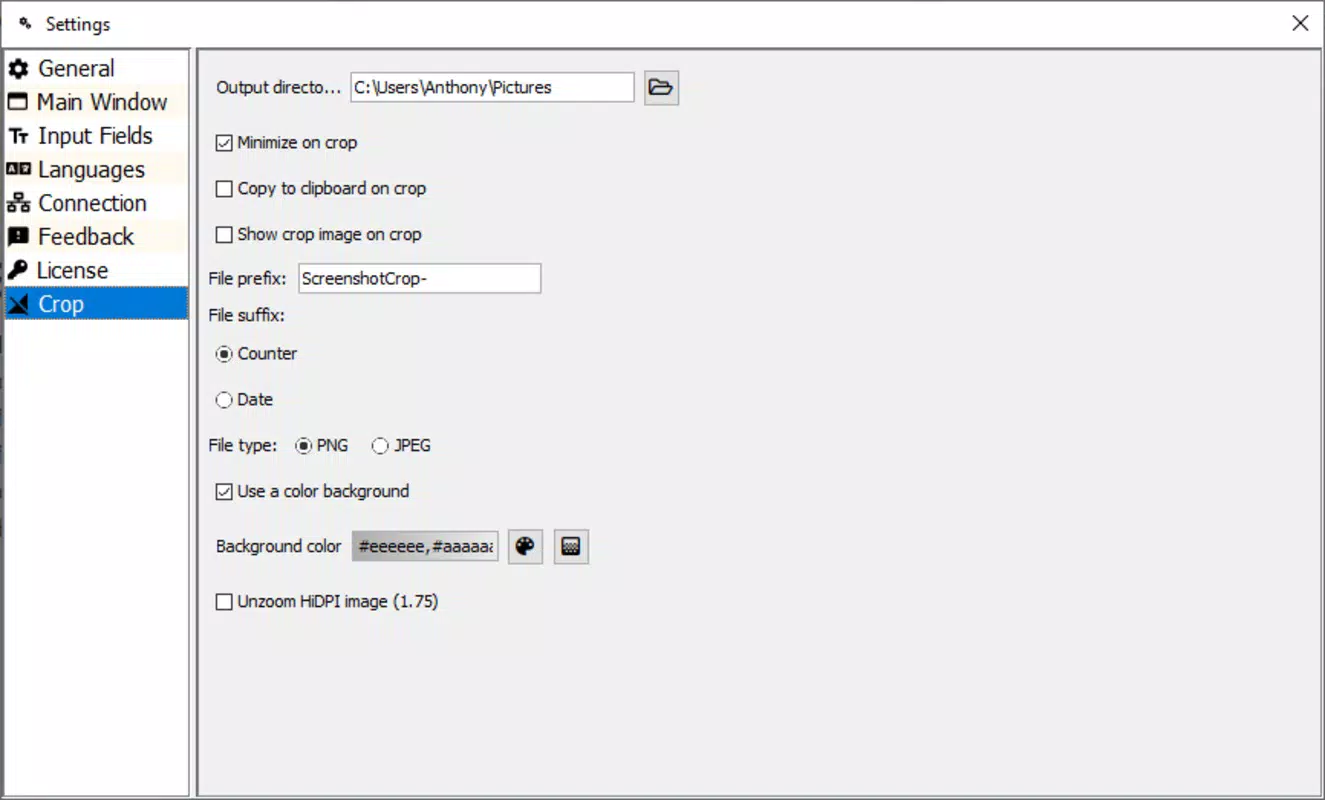
- Seamless Minimization: After cropping, the app automatically minimizes, allowing users to return to their previous task—such as messaging, browsing, or document editing—without interruption.
- Quick Cropping: Streamlines the editing process by enabling fast, one-tap decisions on image content. This is ideal for users who need to save or share cropped images rapidly.
- Intuitive Design: Features a minimalist interface that prioritizes clarity and ease of use. Even users with limited technical experience can navigate the app effortlessly.
For example, a student reviewing a lengthy lecture screenshot can use guided lines to isolate a single equation, crop it instantly, and paste it into a notes app. Similarly, a professional sharing a project update can quickly extract a timeline section from a larger diagram and send it without leaving the messaging app.
Interface, UX & Performance
The app’s interface is designed with simplicity and efficiency in mind. The layout is uncluttered, featuring a full-screen overlay that appears upon clipboard detection. Users are presented with a clear visual representation of the image and dynamic guided lines that adjust in real time as they resize the selection area. Navigation is intuitive, relying on touch gestures to define the crop boundaries, with no complex menus or hidden options.
Although the developer did not list formal performance metrics, the app’s lightweight size of 1.5 MB suggests optimized resource usage. It is expected to operate smoothly on a range of Android devices, including mid-tier and entry-level models. Responsiveness appears to be a priority, as the app minimizes quickly after cropping, preserving workflow continuity.
Stability is implied by the seamless user flow, though no crash reports or performance logs were provided. The absence of visible loading indicators or delays further supports the perception of a responsive experience. Overall, the UX is tailored for speed, ensuring that users can complete cropping tasks in seconds with minimal cognitive load.
Platform Compatibility & Technical Requirements
Screenshot Crop is available exclusively on the Android platform. The current version is 1.0.0, with a file size of 1.5 MB, indicating a lightweight installation. The app is offered at no cost, making it accessible to a broad audience.
The developer did not specify minimum OS requirements or device compatibility details. As such, users should ensure their device supports clipboard image handling and background app execution. Compatibility with specific Android versions or device models was not disclosed. It is recommended to verify functionality on your device before installation.
Pros and Cons
Pros
- Efficient clipboard-based image detection reduces manual steps
- Guided lines enhance precision during cropping
- Seamless minimization preserves workflow continuity
- Lightweight size ensures minimal storage impact
- Free to download and use with no in-app purchases
Cons
- Platform limited to Android; no iOS availability was confirmed
- Specific system requirements were not disclosed
- Functionality is limited to clipboard images; no file import support
- No advanced editing tools beyond basic cropping
- Developer information and update history were not provided
FAQ
Is Screenshot Crop safe to use?
The app accesses clipboard data to detect images, which is a standard function for such tools. As it is free and available through official channels, it is considered secure for general use. However, users should only install apps from trusted sources.
Can I use Screenshot Crop with any Android device?
While the app is designed for Android, specific compatibility with older or low-end devices was not confirmed. Users should check their device’s clipboard functionality and background app permissions.
Does Screenshot Crop support image formats beyond PNG and JPEG?
The developer did not specify supported formats. The app likely handles standard image types used in Android screenshots, such as PNG and JPEG.
How often does Screenshot Crop receive updates?
No update frequency was provided. The developer has not shared details about future development or maintenance plans.
Can I crop images not taken from the clipboard?
Based on the available information, the app only processes images copied to the clipboard. It does not support direct file import or gallery access.
Final Thoughts
Screenshot Crop delivers a focused, efficient solution for users who need to crop screenshots quickly and without disruption. Its core functionality—automatic clipboard detection, guided cropping, and seamless minimization—makes it a practical addition to any Android user’s toolkit. While it lacks advanced editing features and has limited platform reach, its simplicity and zero cost make it a compelling choice for everyday use.
Those who frequently edit screenshots on the go—students, remote workers, and digital content creators—will benefit most from its streamlined workflow. The app’s value lies in its ability to reduce friction in a common task, turning a multi-step process into a single, intuitive action.
Download Screenshot Crop now


